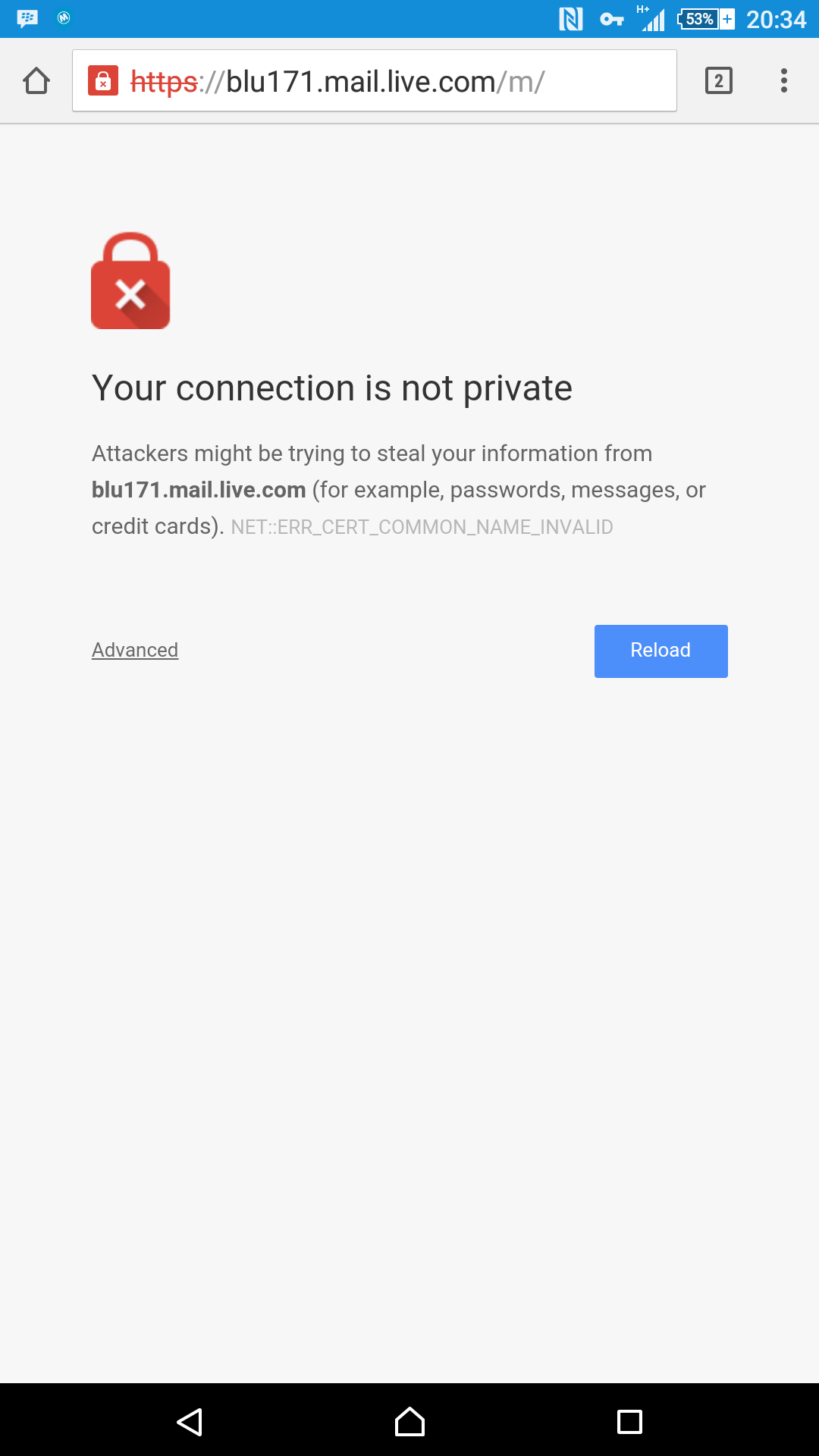
Did anyone know why this is what happened when I try to open my email? I can’t access it because of that..
Btw I just remeber there is no chapter release for tomorrow.. It’s sunday hehehe.. Will see you again on monday..
Did anyone know why this is what happened when I try to open my email? I can’t access it because of that..
Btw I just remeber there is no chapter release for tomorrow.. It’s sunday hehehe.. Will see you again on monday..
Legged Mimic : 0/ 25 $



For more info visit our Donation Page and Release Schedule
Got no money? please kindly whitelist or unblock your adblock for this site and click on the ads at least once a day. We got 80% of our reader using adblock. so your whitelisting can mean alot to help keeping the site alive.


 Rebirth Online World
are you using your own wifi or using somebody elses
Mine..
Just remove the “s” from “https”. That sometimes works (it does when the reason of the block is trying to access to a site as a secure connection while either not having the security certificate or it being corrupted).
You can also click the advanced option and change your settings to allow you to access your email.
I don’t know what you mean lol
It’s the ‘advanced’ option at the bottom-left corner. It doesn’t look like a button, but a link.
It’ll allow you to “access the page anyway”.
Delete the s in https
Didn’t realize someone already made that suggestion. …..
Failed..
Meh. You could always use Internet Explorer HAHAHAHAHAHAHA
Noooooo…..
Meh try to just use m.gmail.com
Maybe mobile version works
I used hotmail lol
Lelelelelelel. Didn’t see thay coming.
Anyways you could only hope for that to be soon fixed. Also having frequent troubles just like this one.
Yeah.. Prayed lol
There’s a link called “advanced” bottom left of the page.
Click it and press proceed.
Then setup your email client on your phone to collect your email for you..
Why did you add the blu171? Is that a corporate mail based on exchange? If isn’t just remove the blu171 part of the url, the link on the left bottom afther the text what says Advanced give you a little rant why you shouldn’t enter to this site if you clic on it and there is a link saying continue to blu171.mail.com to enter to your mail
It was hotmail and it directed itself to that..
Omfg you are infected, that is a virus I’m (90%) sure that is why i don’t surf in my tab or cell
Make sure your computer time is synced up and correct. This can happen if the date or time on your computer was changed. Do not just go to Advance > Proceed blindly.
You should only do that for sites where you know they are using a self-signed certificate.
Correction. Make sure the clock is synced up on your phone.